A great place to buy Flash Drives

I bought my flash drives from http://photoflashdrive.com. Beautiful clear Crystal drives the last time. The crystal drives look very classy and elegant.

They looked rich with my logo etched in. Plus black boxes as well with my logo on top. There are many places that sell flash drives you have to be careful buying if you are buying ones that are blank ones they can have viruses on them. This company is a great company I know many of my professional photographer friends have been using them for a long time. Plus their customer service is great, I had a problem and 4 people helped me get it solved fast.

Screen Shot 2014-05-01 at 8.53.52 AMDSC_0132

DSC_0124DSC_0119DSC_0116DSC_0113DSC_0109


Why I am switching from Nikon to Canon

Switching from Nikon to Canon. The reason why was many reasons.

Canon‘s colors I fell in love with the clear crisp colors they in the images. I borrowed a friends Canon Mark iii 2 times and took pictures with it. Her ISO blew my Nikon D800 out of the water the images were much brighter in my studio in the same area and the same settings. I was shocked how bright the images were after I downloaded them. The skin tones were creamier as well and not as blue toned.

I have to say I do NOT like how the camera feels in my hand as far as the buttons. I love how Nikon feels. However my friend was able to set her buttons so that it was the same as Nikon which was a nice option. I can’t say one camera is better than another. Landscape and outside photos Nikon when I shot outside the photos are gorgeous. If I only shot outside photos I won’t care. But for shooting portraits I prefer Canon now that is a few reasons why I am switching. Plus I heard if you get your camera cleaned or fixed it comes back in 5 days.

There are many reasons why I can’t say it was just one reason alone that made me jump from leaving Nikon to Canon. In fact I didn’t want to all. This was many months of looking into and doing a ton of research.

Nikon I LOVE how tack sharp all their lenses are. I can’t say enough about them. I was up till 2:30am last night almost in tears about this decision. I am a super loyal person this decision did not come lightly to me in the least.  I been looking over professional photographers work for years. Do I think the equipment is what makes the photographer better no I don’t. I know for sure without a doubt it’s the talent, skills and hours of work the person spends learning and growing. It has nothing to do with what the price of their lens is costs. You can own an expensive tool in your kitchen to cook a really great dish but that doesn’t mean you know how to cook like an Italian chef at an Italian restaurant who has been working there day in and day out. You hire him because you know his work is amazing. The same goes for why people should hire you.

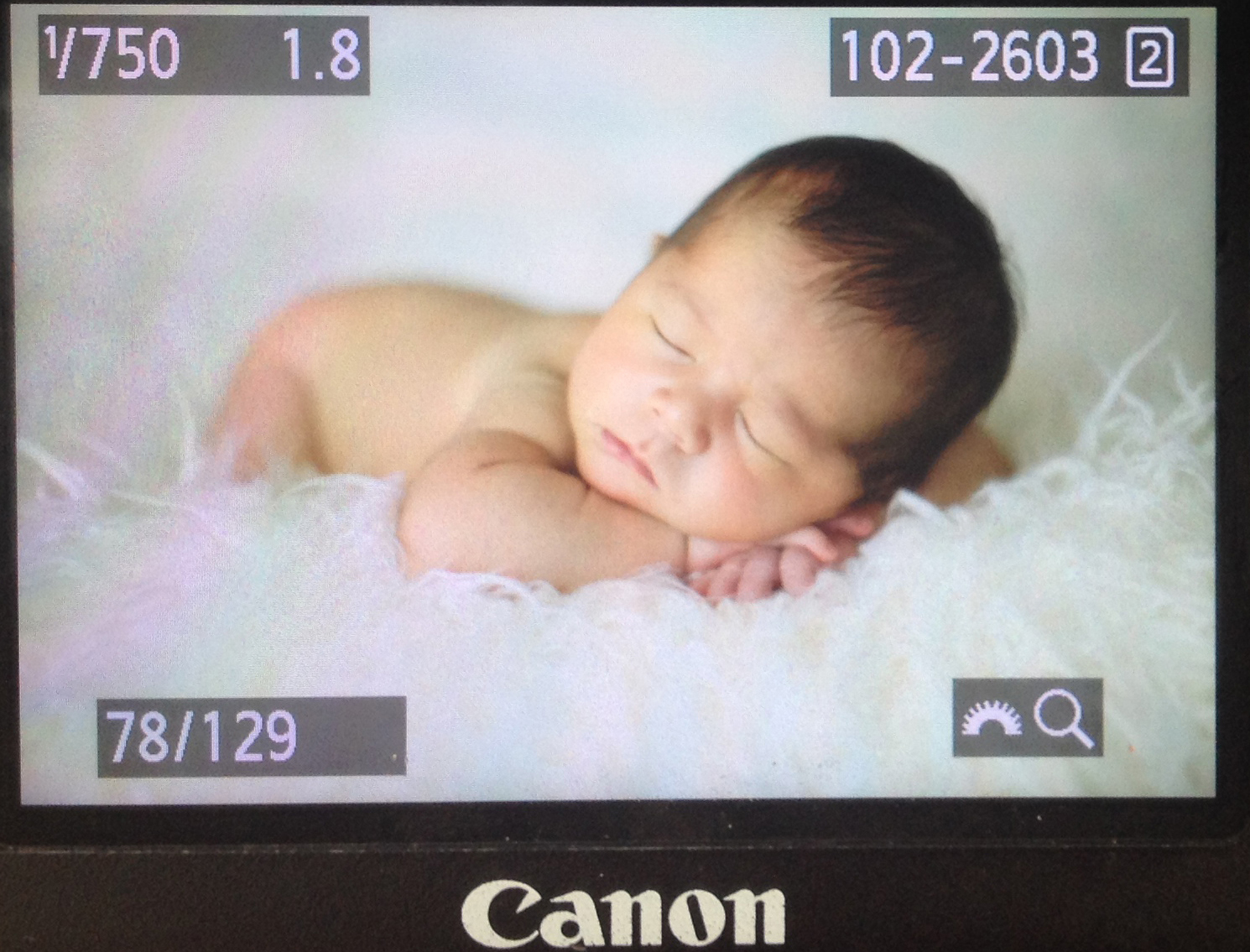
Look at this straight out of the Canon Mark iii , the skin color is right on. Nikon it would be more blue.

I know you can get the color fixed in Photoshop and in the camera. This was just my choice after shooting with Nikon for many years.  I figure at least give Canon a try at least for a while. I didn’t sell everything yet, I was thinking today that I might keep half of my equipment just in case because I have loved Nikon for so many years just to be safe. So many professional Photographers all over the world love Canon I figure there has to be more reasons then just creamy skin tones. I won’t know until I give them a try. I am going to try Canon for a few months. It’s an investment yes. In life we have to step out and give things a try out of our comfort zone to grow and expand. Why not take a chance. Life is short, I am getting excited about this new adventure. Call me crazy for selling half my Nikon equipment I don’t care.  You only live once. This is a chance to see how the other side “dark side or should I say white side ” since Canon has the white lenses zoom lives.

IMG_0922 copy

Sharpen Eyes in Photoshop Tutorial Adobe Photoshop

Guest speaker Leslie Styler Photography is posting this tutorial.

I learned this cool tutorial recently from a friend photographer and wanted to share it with you. I have a few people asking me to teach them Photoshop so here is real quick and easy tutorial  for sharpening eyes. I was planning on teaching an editing class in my home on Photoshop after I get better.  In the meantime I thought I could just post a few tutorials on my blog for all those who would like to learn a few tips. Here are the steps are screenshots of my workflow. I hope this helps. Let me know if you have any questions, I will do my best to get back to you when I can to answer any questions you may have about this.

Listen this tutorial is very simple and you can learn it fast. Just do it a couple times and you will have it down pat.

Feel free to leave  me a comment if this has helped you or you have learned something from it. I love hearing comments!

I went to college for a Bachelor’s in Computer Animation at The Art Institute of Pittsburgh, PA and The Art Institute of Los Angeles, CA. I had one quarter left to get my BA after 4 years but got asked to work on a feature film The Polar Express doing Motion Capture. From there my career in movies began. My background is in Visual Effects for movies. So I learned a ton of Photoshop and 3D programs. I will try and teach some of my work flow through my blog so that people all over the world can learn instead of just in Arizona.

The following  tutorial is from Adobe Photoshop cs3 version 10

1. zoom into the person’s eyes

2. drag the background layer and duplicate it (drag background to the button create new layer button, left of the garbage can)

7

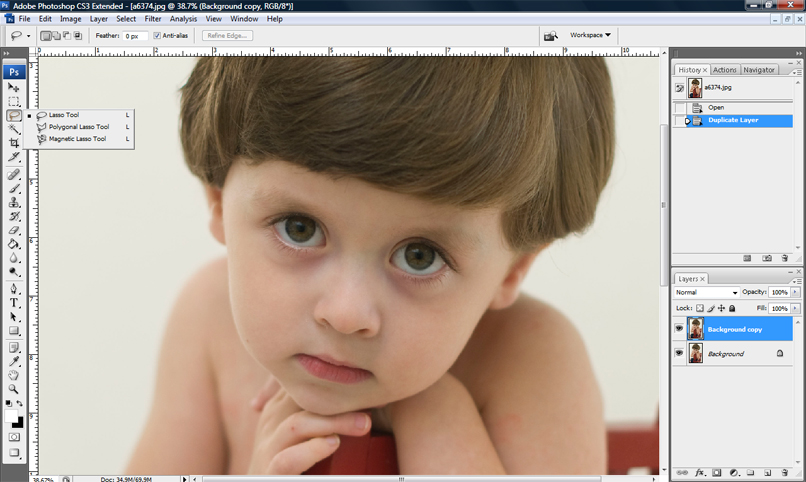
3. select the LASSO TOOL (3rd tool from the top, on the left hand side)

6

4. draw a circle around the color part of the eye with the LASSO TOOL

7

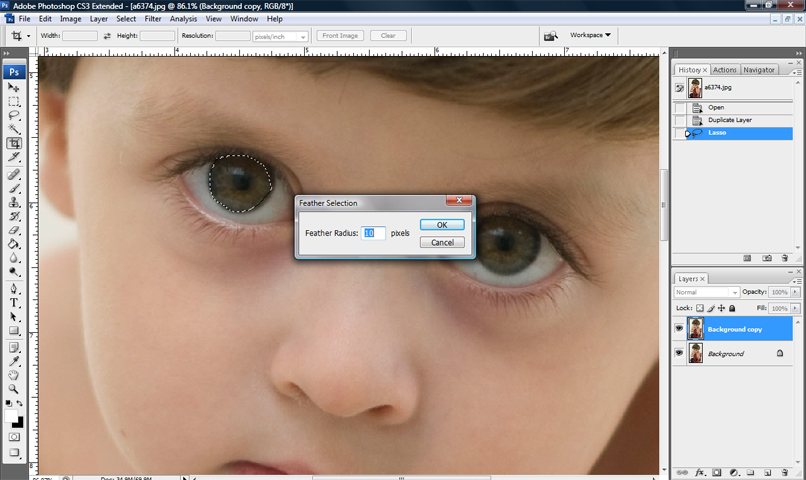
5. Right click and FEATHER 5-10 pixels is good
8

6. Go to the SELECT at the top of the screen then select INVERSE, then hold CRTL and X (which deletes everything from the second layer so only the eye is left) OR EDIT, then CUT.

This leaves only the eye left. This is just an example of how it might look if you accidentally pick more than just the eyeball color.

9

7. Pick the ERASER tool and erase anything around the eye so you only leave the color of the eyeball. Make sure there is no white of the eyeball or skin left.

10

12. go to FILTER then SHARPEN, then UNSHARP MASK

11

Repeat and do the same steps for the next eye. The finished product is below

12

e9

I wrote this years ago this tutorial. What I am going to start doing is adding video tutorials soon. I need to record it at night when my little kiddos aren’t in the background running around making so much noise (as you Mom’s know how that goes). It would be hard to hear me.

Come back!!

Photographytoolbox was created for you| Photographers resource

Good morning we wanted to explain a little more about what this site was created for. We created it because we would bookmark tons and tons of photography sites over the years. We thought it would be a great resource to have for photographers in one spot to be able to have an organized place to be able to easily remember, go straight to a category and find what you are looking for.

Another option would be able to do a search in the search bar for what you are looking for.  Photographerstoolbox.com we will be updated either daily or weekly for new sites, new sales that companies run as well and promotions.

photography education

Best age to photograph a newborn

Here is how the newborn baby will act for the days old they are
3-4 day old was a little fussy, but sometimes I think that fussiness comes from the anxiety of the parents. The more relaxed you are the faster the baby will sleep. Please know I will get pictures even if it takes an hour for your baby to sleep.
7-8 days are best because they sleeping and feeding schedule is more established.

9/10 -cluster feeding much harder because they want to keep eating every hour

Sending photo sessions over the internet.

If your client need their photos asap and you want to send them their photos from their photo session this site is great you can send up to 2 GBs over the net. It’s great for when your if something goes wrong and the mailman doesn’t get their photos on time or loses it. I have you used it a couple times and love it. Just tell your client in the email that then need to click download and they have their files instantly. It’s fast but slow to upload. I use it to send family pictures as well. I LOVE it and it’s 100% free no charges.

https://www.wetransfer.com/

Lemondropstop backdrops backgrounds for photography

Lemondropstop I have bought many backdrops from in the past. I love the their sales they have them every Wednesday. My clients love them too. There are so many I want and need a good place to store them. I have a friend that said he would build me something to hang them on the wall because now I have a bunch of them and they will get bent up. I will take some pictures soon so you can see some.

Here is their Facebook page:https://www.facebook.com/LemonDropBackdrops/info